BAFA
Waste heat report
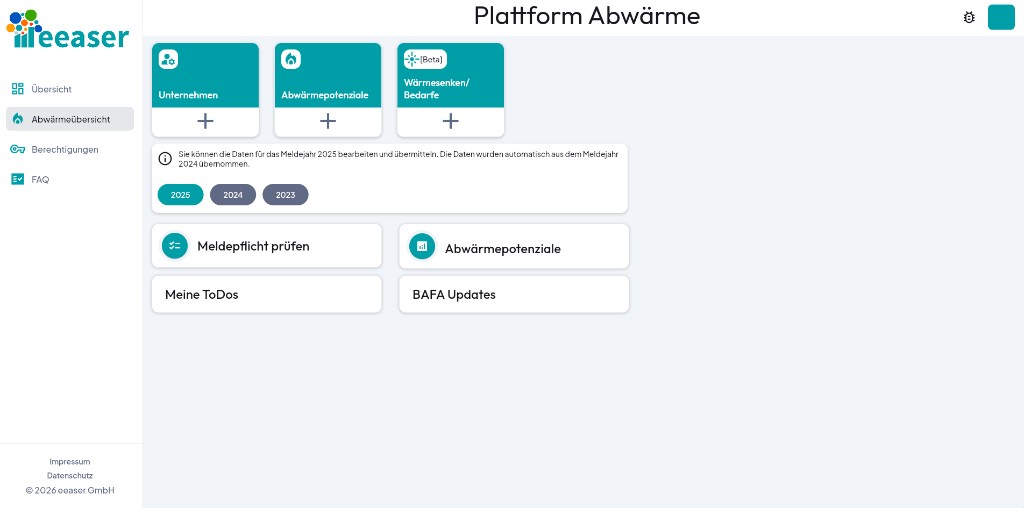
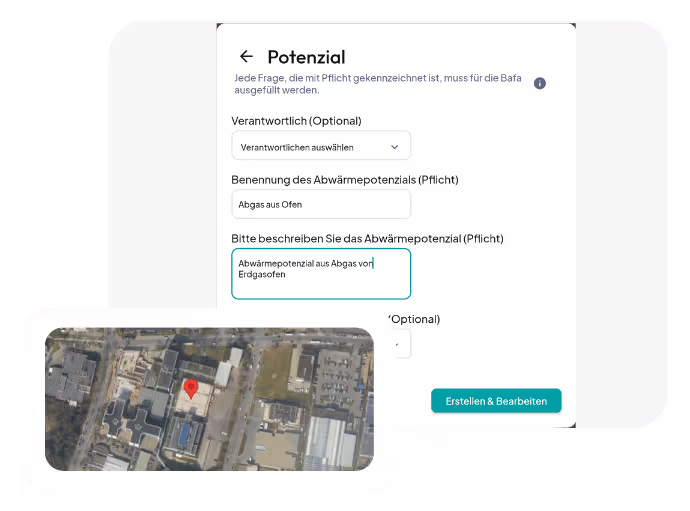
Our app collects your data in accordance with § 17 EnEFG and securely transmits it to BAFA's waste heat platform. With minimal effort, you can quickly reach the relevant values.

Features
Structured process
Our structured process guides you through data collection and provides helpful reasons for each estimate. This allows you to enter all values based on fact sheets, ratings and emissions reports, without any additional measurements.
User management
Easily manage all users and their access rights. With our user management, you always have an overview and ensure that the right people can enter and view the right data.
Relation to location
Assign the recorded waste heat potentials precisely to the respective locations. In this way, you always have an overview of your energy sources and can take targeted measures.
FAQ Waste heat app

AWQ 1: Chimney - exhaust gas (carried, therefore relevant)
AWQ 2: Machine - heat radiation (diffuse, therefore irrelevant)
AWQ 3: Pipelines - low pressure steam at 130°C (carried, therefore relevant)
AWQ 4: Pipelines - condensate at 105°C (carried, therefore relevant)
AWQ 5: Pipelines - condensate at 100°C (carried, therefore relevant)
For various AWQs that are brought together, in the example above AWQ 4 and AWQ 5 - possibly also further condensate flows from other machines, the “Leafa for the Waste Heat Platform” applies: If the waste heat from several waste heat sources is combined in one medium, these waste heat sources are considered together as a single waste heat source.
The same applies to nuclear facilities covered by the Act on the Peaceful Use of Nuclear Energy and Protection against its Dangers (AtomG) in the version of the announcement dated July 15, 1985 (BGBl. I p. 1565), which was last amended by Article 1 of the Act of December 4, 2022 (BGBl. I p. 2153) has been amended, fall.”
CSV files are only allowed if the locations listed match the locations in the software.
Another source of error is column G: “Control options”. Here, the values must be entered in the following format, just as with BAFA:
TEMPERATURE, PRESSURE, SUPPLY, CANNOT BE RETROFITTED, CAN BE RETROFITTED
After you have completed your data entry, the data is ready to be uploaded to BAFA.
Option 1: We take care of the service for you
We would be happy to upload the data for you. To do this, simply press the button in the software “Transmitting data to BAFA”, and we'll take care of the rest.
Option 2: Do the upload yourself
If you want to carry out the upload yourself, you can request the export of a BAFA-compliant CSV file from the system administrator. The file is then made available to you. This file contains all data needed to report to BAFA. With one exception: The BAFA CSV template does not contain the information as to whether the values were estimated or measured. This information must then be provided directly to the BAFA platform
The following are step-by-step instructions on how to upload the data to BAFA yourself:
- Log into the BAFA portal:
https://elan1.bafa.bund.de/auth/realms/Bafa-Realm/login-actions/authenticate?client_id=portal&tab_id=Qg_60NhLIYY - Navigate to the data upload area:
https://elan1.bafa.bund.de/pfa-ui/#/unternehmen/standortlisteCheck the CSV file once and then upload it:
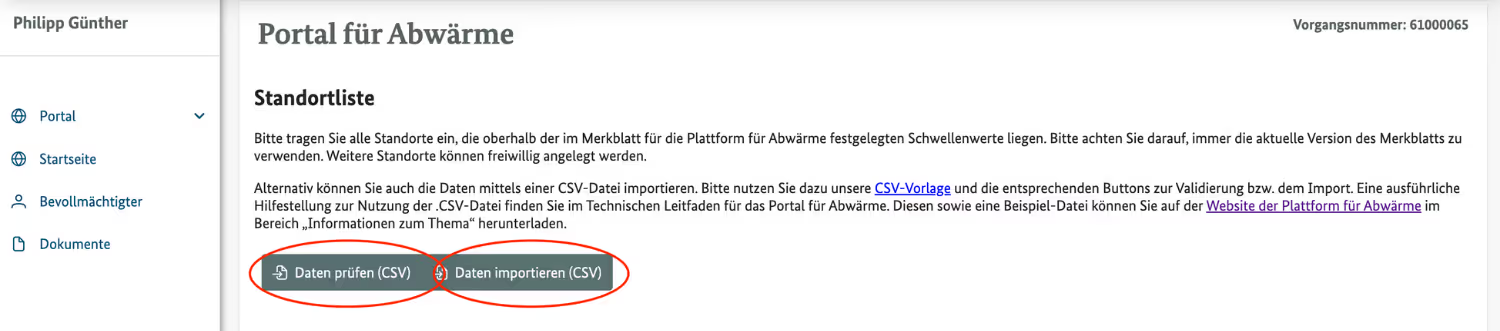
- After reloading the page, the locations appear in the platform:
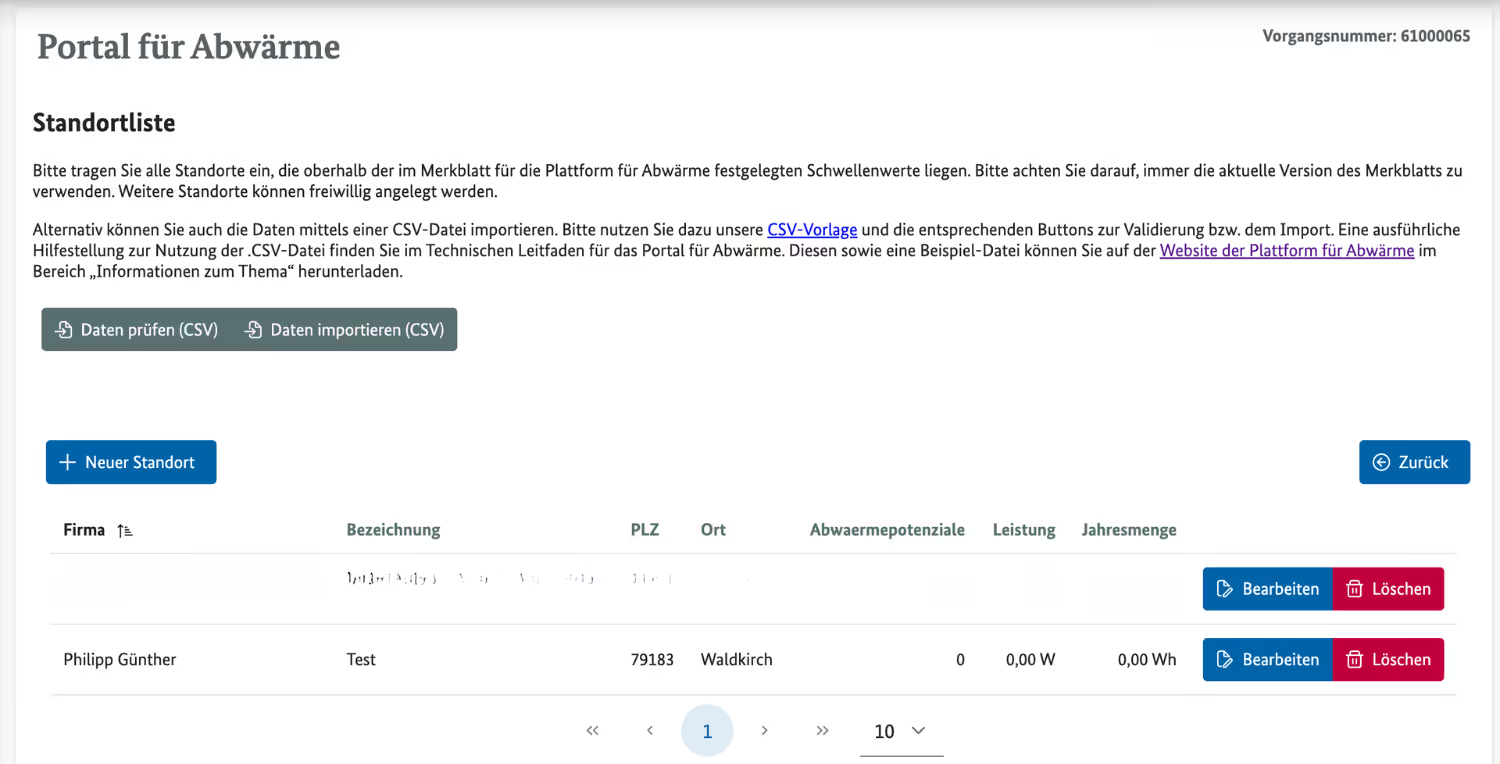
- If you press “Edit”, you can see all potentials and edit them individually:
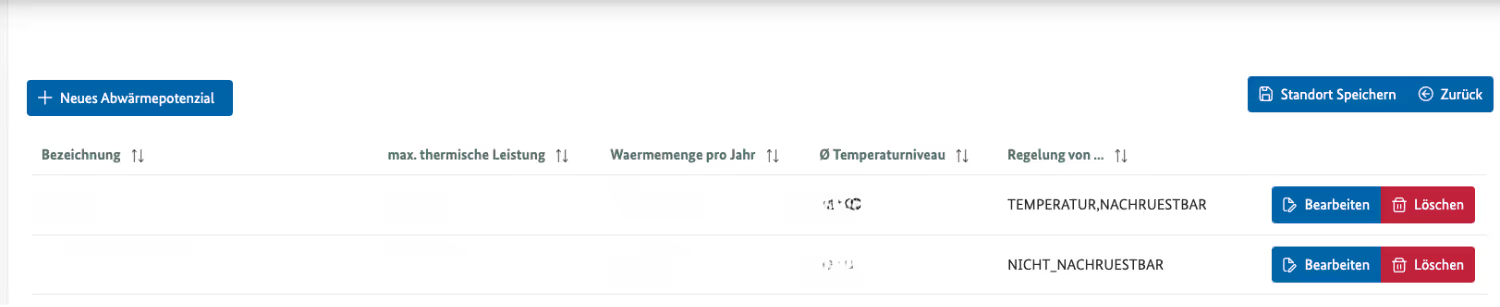
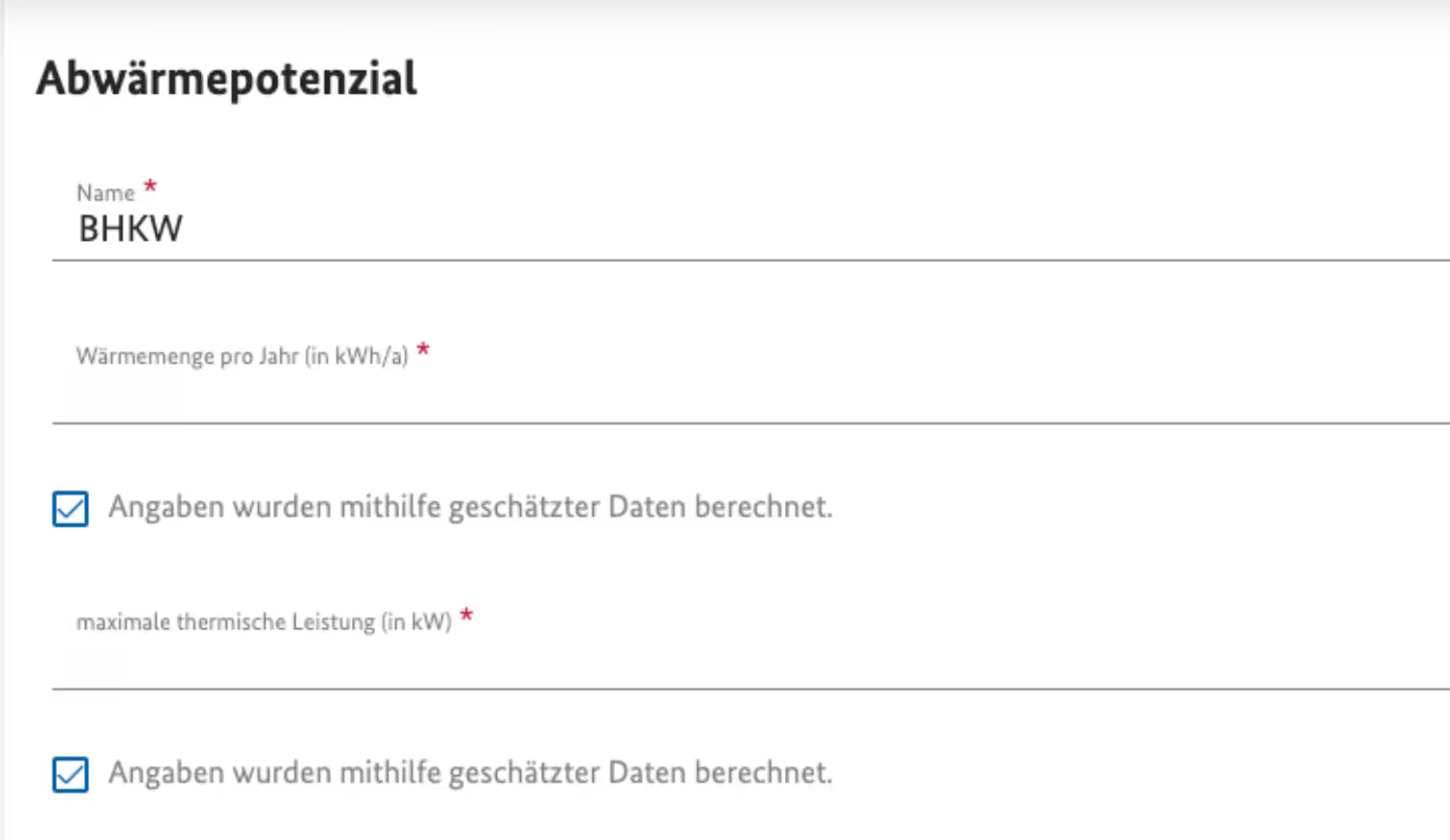
- Select each potential once and check whether the check mark “Information was calculated using estimated data” is correctly checked:
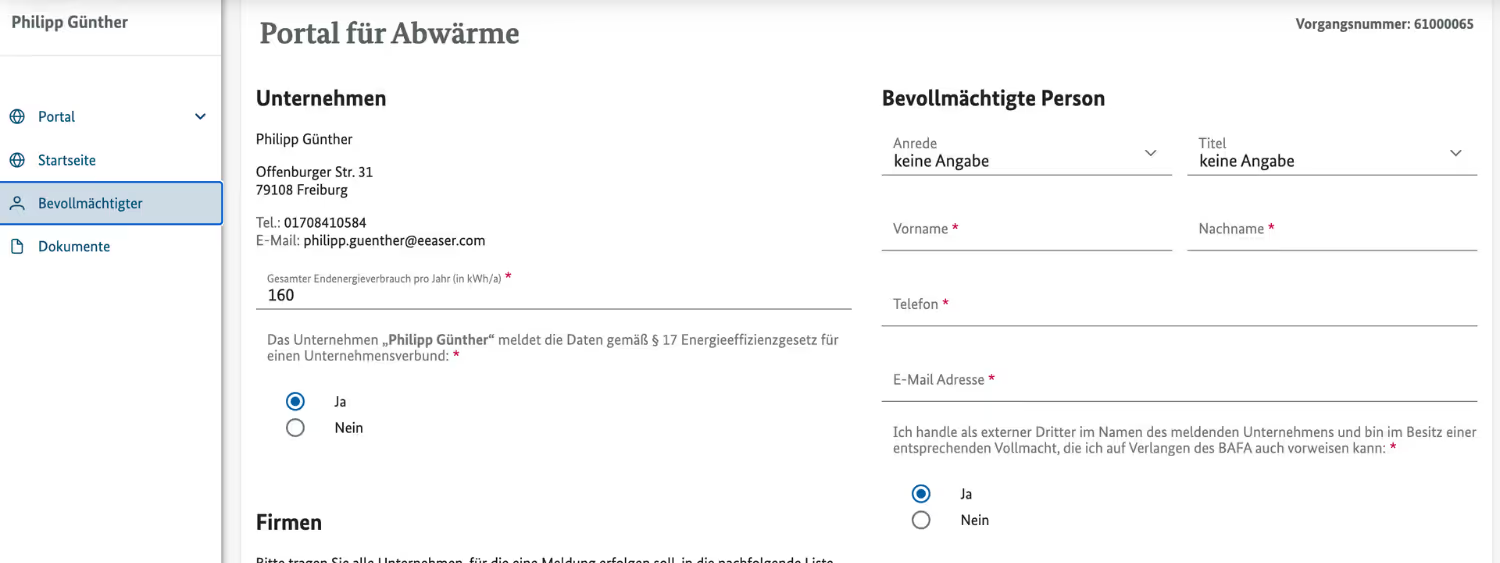
- Complete the details for the authorized person:
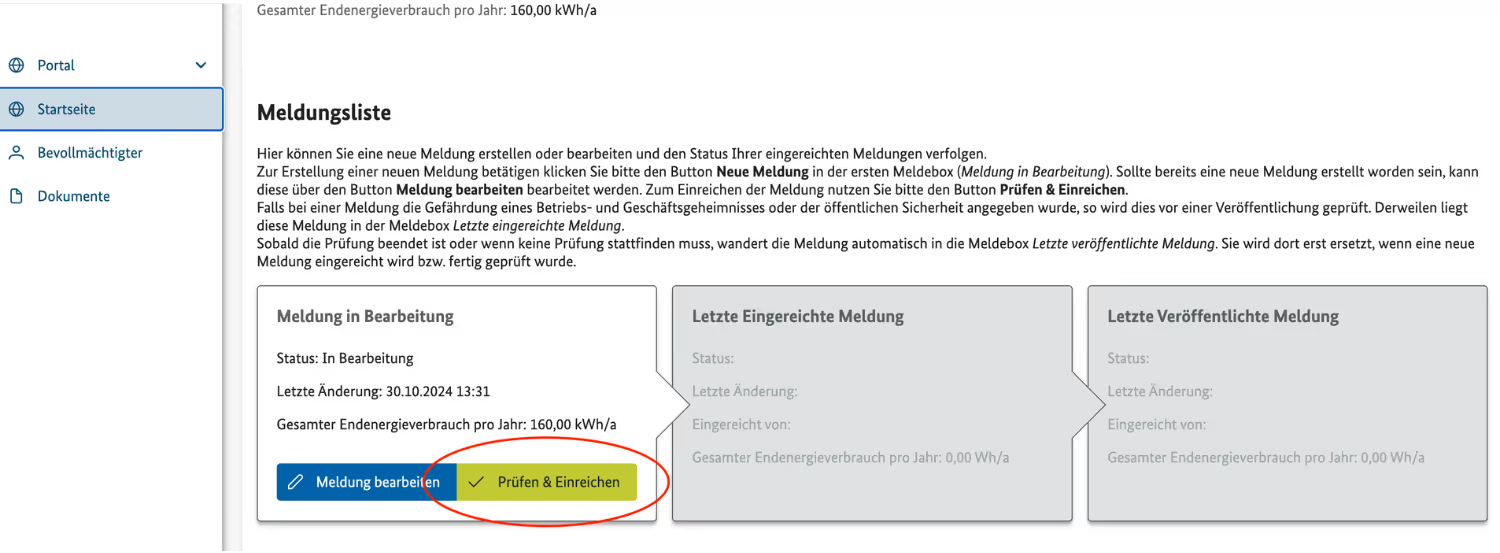
- You can then check all data:
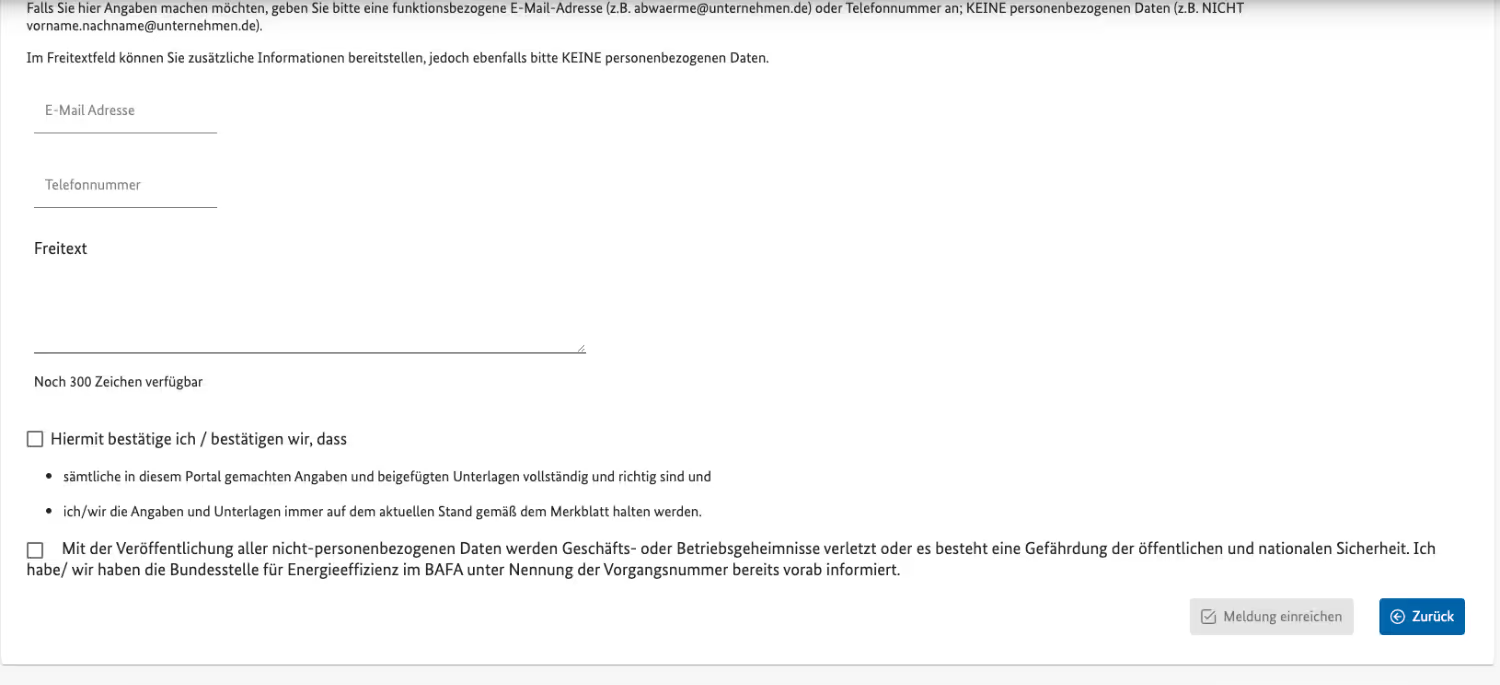
- When everything is complete, you can submit the data to BAFA:
Test the app completely free of charge for 3 days.
Get to know our app in a short phone call — we'll create the first waste heat potential together. Then test the app completely free of charge.
Our partners & customers